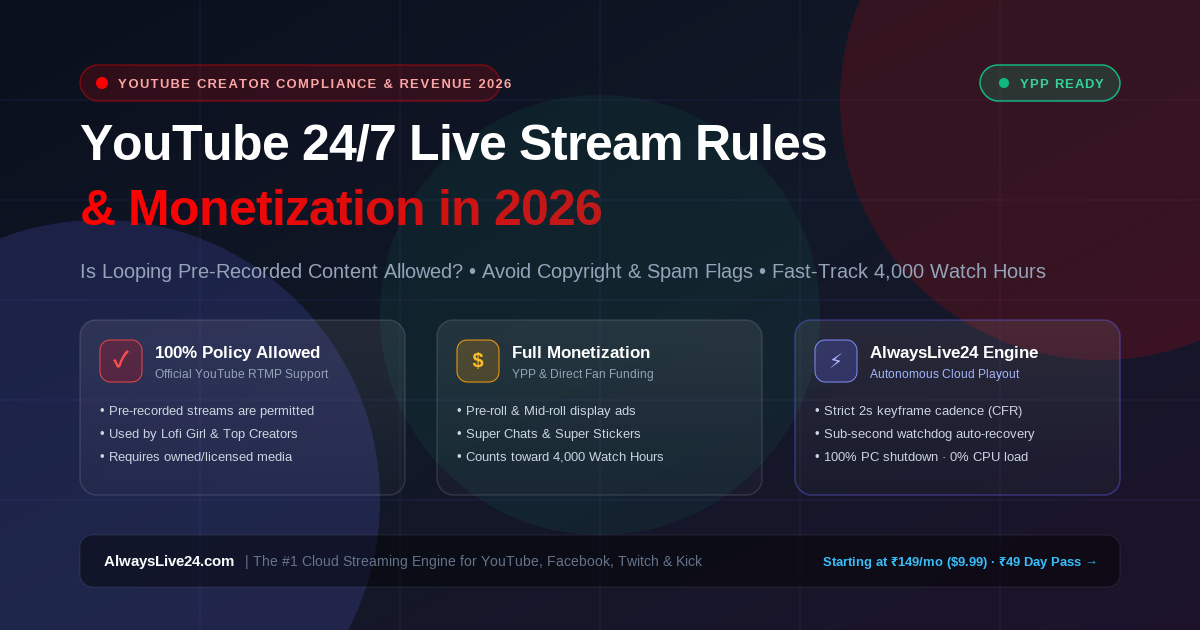
One of the most frequently asked questions by digital creators, gaming streamers, musicians, podcasters, and online businesses in 2026 is: "Does YouTube allow 24/7 live streaming of looped or pre-recorded videos, and can these streams be legally monetized with AdSense, Super Chats, and Memberships without risking channel termination?"
The short answer is YES—YouTube fully permits 24/7 live streaming of pre-recorded and looped content. Thousands of world-renowned channels—from Lofi Girl and ChilledCow to NASA live Earth views and Bloomberg Live—generate thousands of dollars every month through round-the-clock broadcasts. However, creators must navigate strict copyright, reused content, and live chat policies to protect their channels.
1 Official YouTube Policies: Does YouTube Allow 24/7 Looped Streams?
YouTube's Terms of Service and Community Guidelines do not prohibit 24/7 live streaming or pre-recorded video loops. In fact, YouTube's live broadcast infrastructure natively supports standard RTMP ingestion, which makes no technical distinction between a real-time webcam feed and a pre-rendered high-definition video loop.
- • Original or Licensed Content: Broadcasting your own music, animations, podcasts, or pre-recorded gaming highlights.
- • Community Hubs: Running continuous chill music, study-with-me streams, or relaxing ambient audio with active live chats.
- • Consistent Playout: High-bitrate H.264 streams with stable 2-second keyframe intervals and zero dropped frames.
- • Unlicensed Media: Streaming copyrighted radio music, commercial television, movies, or sports events.
- • Misleading Metadata: Titling pre-recorded loops as "Live Breaking News" or promising giveaways that do not exist.
- • Unmoderated Spam: Allowing crypto scam links, phishing bots, or abusive text to flood your live chat.
2 The 2026 YouTube 24/7 Live Stream Architecture
To achieve round-the-clock uptime without hardware burnout, professional broadcasters decouple stream playout from local machines using cloud infrastructure like AlwaysLive24:

Figure 1: Full autonomous cloud playout workflow from media ingest to YouTube RTMP endpoint and YPP monetization.
3 How 24/7 YouTube Live Streams Generate Revenue
Continuous 24/7 live streams benefit from diversified income streams that outperform standard VOD uploads:
| Revenue Stream | How It Operates on 24/7 Streams | Typical Monthly Potential |
|---|---|---|
| Automated Mid-Roll Ads | YouTube automatically injects video ad breaks every 15 to 30 minutes for incoming viewers. | ₹25,000 – ₹1,50,000+ ($300 – $2,000+) |
| Super Chats & Stickers | Live chat participants pay to pin highlighted messages, reactions, and custom animations. | ₹10,000 – ₹80,000+ ($150 – $1,000+) |
| Channel Memberships | Monthly recurring memberships (e.g., ₹89/mo or $4.99/mo) granting custom loyalty badges and custom emojis in chat. | Predictable Recurring Monthly MRR |
| YouTube Premium Revenue | YouTube allocates a share of Premium subscription pools based on the total minutes Premium users watch your broadcast. | Passive scaling with high ambient watch time |
| Affiliate Links & Merch | Pinned comments and product shelves below the stream drive consistent daily conversions. | Varies by sponsor / product offer |
4 Does 24/7 Live Stream Watch Time Count Toward the 4,000 Hours YPP Threshold?
YES! Public live stream watch hours count directly toward the 4,000 valid public watch hours required to qualify for the YouTube Partner Program (YPP).
The Math Behind 24/7 Watch Hour Acceleration:
A regular YouTube video requires thousands of individual views to accumulate watch time. In contrast, a 24/7 stream runs for 168 continuous hours every week:
5 The 12-Hour Stream Archive Rule Explained
Many creators panic when they read that YouTube only archives streams up to 12 hours. Here is the exact technical reality:
When a live stream ends, YouTube automatically processes and archives the broadcast into a permanent VOD video for replay. However, YouTube will only process up to 12 hours into a single archived video file.
Key Takeaway: If your stream broadcasts continuously for 2 weeks (336 hours), the stream does NOT stop! The live broadcast continues uninterrupted on air, viewers can watch live 24/7, and you continue earning ad revenue and watch hours. Only the historical DVR buffer beyond 12 hours is not saved into a single archival replay file.
6 Video Walkthrough: Cloud Live Streaming Without Keeping Your PC On
Watch this step-by-step video guide demonstrating how cloud streaming servers broadcast 24/7 with zero local computer load:
7 Step-by-Step Setup: Launching a 24/7 Stream in 3 Minutes
1 Get Your YouTube Stream Key
Log into YouTube Studio, click Create → Go Live → Stream, and copy your persistent stream key from the Stream Settings panel.
2 Ingest Video into AlwaysLive24
Open AlwaysLive24 Dashboard, click Create Live Stream, and upload your MP4 file, paste a Google Drive direct video link, or select a pre-rendered Lo-Fi radio background.
3 Select YouTube, Check "24/7 Infinite Loop", and Go Live
Paste your stream key, check Loop Stream (24/7 Infinite Loop), choose your resolution (720p or 1080p), and click Start Live Broadcast. Within seconds, your broadcast connects to YouTube with 100% cloud health.
4 Shut Down Your Computer
Once your stream card turns green, you can close your browser and turn off your PC completely. The cloud server handles encoding, transmission, and automated recovery 24 hours a day.
8 Affordable Cloud Playout Plans for Every Creator
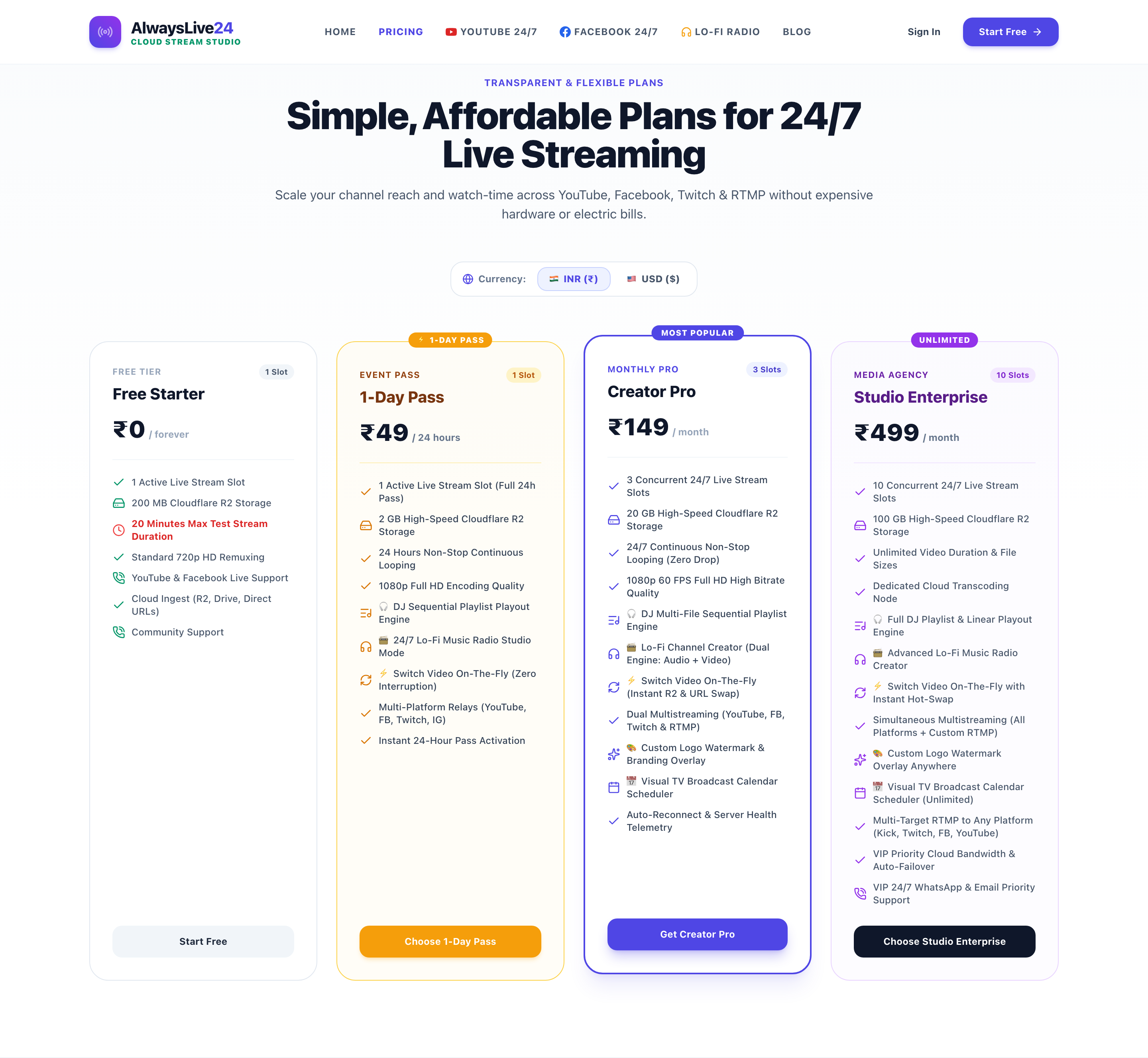
Unlike expensive legacy tools costing $39–$89/month, AlwaysLive24 is engineered specifically for modern creators with transparent, accessible pricing:
9 Frequently Asked Questions (FAQ)
Can I get a copyright strike for looping my own YouTube videos?
No. You own 100% of the copyright to your original content. As long as your video does not contain unlicensed third-party commercial music or video clips, you have full legal authority to broadcast it on an infinite loop.
Do I need fast home internet to run a 24/7 live stream?
No! You only need enough internet to upload your video once to your cloud gallery (or paste a Google Drive link). AlwaysLive24's cloud servers then stream the video to YouTube over dedicated 1 Gbps datacenter fiber connections.
What happens if YouTube experiences a server drop?
AlwaysLive24 includes a built-in watchdog monitor that checks stream health every 5 seconds. If a connection hiccup occurs, it automatically reconnects the stream within 1 second without terminating your broadcast.
Start Looping Your Streams on YouTube 24/7 with Zero PC Power
Unlock continuous watch hours, automated AdSense revenue, and 100% cloud reliability from just ₹49/day or ₹149/month.